 412a10256d
* WIP vue3

* WIP vue3

* WIP vue3

* Migrates to vitejs

* Fixes js tests and removes not needed modules

* Fixes unmount

* Updates to use css instead for space

* Fixes tests and rebases one more time

* Uses orgua

* Fixes migrations bugs with oruga and fixes scroll

* Fixes v-deep

* Fixes icons to prod

* Fixes icons to prod

* Adds favicon back

* Transitions some to composition api

* Updates another component to comp api

* Cleans defineProps

* Updates log messages

* Moves more to compose api

* Cleans up styles and rewrites event source

* Tries to fix DOMPurify

* Removes postcss

* WIP typescript

* Improves importing

* Converts all to ts

* Converts main to ts

* Makes changes for tsconfig

* Moves more to ts

* Adds typing to store

* More typing

* Updates to ts

* Updates the rest to ts

* Fixes computes

* Fixes unmount

* Adds cypress with custom base fixed

* Fixes jest tests

* Fixes golang tests

* Adds gitignore for cypress

* Removes int in favor of e2e with cypress

* Tries to fix int tests again

* Adds title

* Updates e2e tests

* Uses vue for isMobile

* Removes app spec

* Cleans up docker

* Adds drop down for settings

* Fixes bug with restart

* Fixes scroll up bug

* Adds tests for light mode
Dozzle - dozzle.dev
Dozzle is a small lightweight application with a web based interface to monitor Docker logs. It doesn’t store any log files. It is for live monitoring of your container logs only.
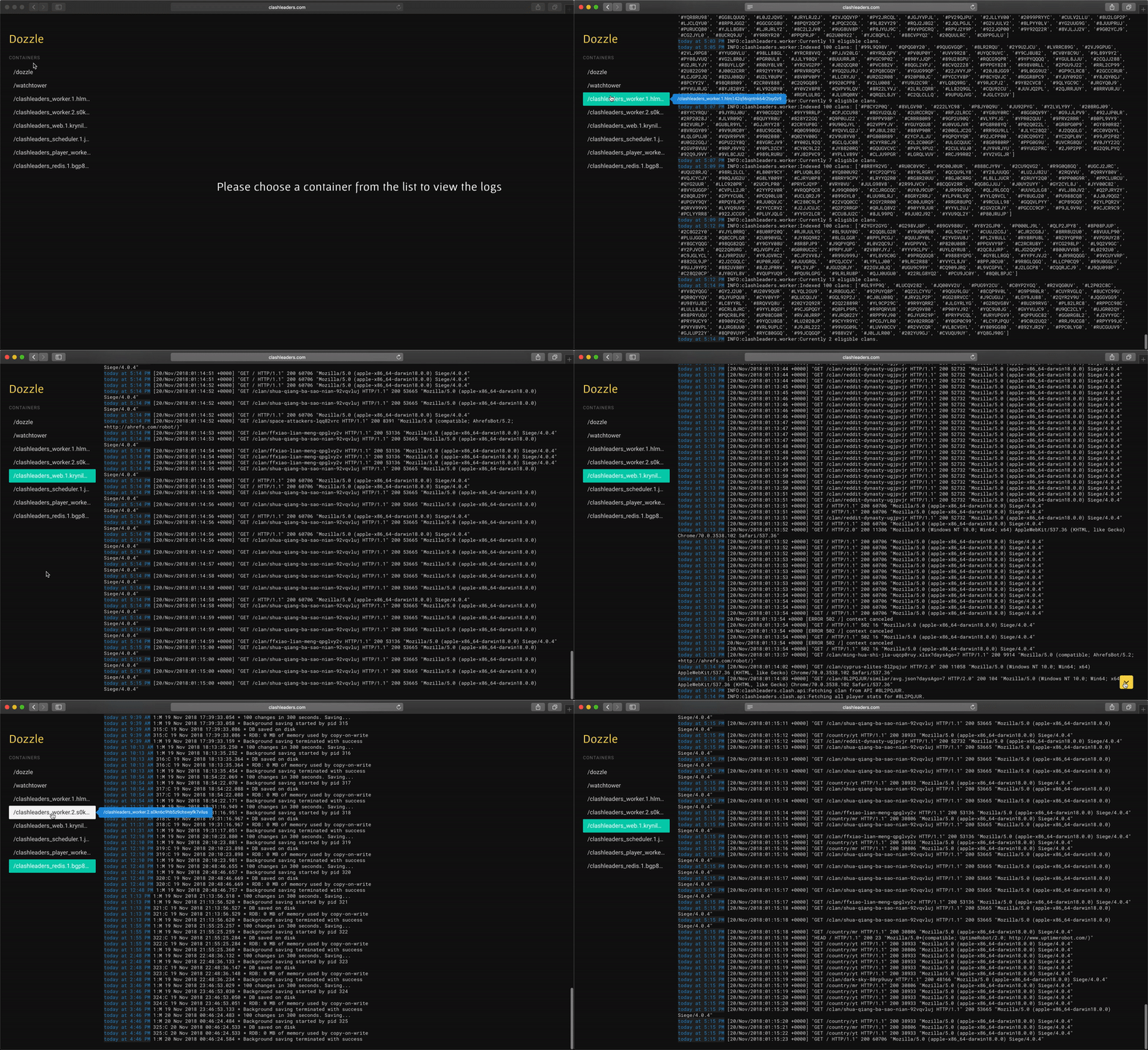



Features
- Intelligent fuzzy search for container names 🤖
- Search logs using regex 🔦
- Small memory footprint 🏎
- Split screen for viewing multiple logs
- Download logs easy
- Live stats with memory and CPU usage
- Authentication with username and password 🚨
Dozzle should work for most. It has been tested with hundreds of containers. However, it doesn't support offline searching. Products like Loggly, Papertrail or Kibana are more suited for full search capabilities.
Dozzle doesn't cost any money and aims to focus on real-time debugging.
Getting Dozzle
Dozzle is a very small Docker container (4 MB compressed). Pull the latest release from the index:
$ docker pull amir20/dozzle:latest
Using Dozzle
The simplest way to use dozzle is to run the docker container. Also, mount the Docker Unix socket with --volume to /var/run/docker.sock:
$ docker run --name dozzle -d --volume=/var/run/docker.sock:/var/run/docker.sock -p 8888:8080 amir20/dozzle:latest
Dozzle will be available at http://localhost:8888/. You can change -p 8888:8080 to any port. For example, if you want to view dozzle over port 4040 then you would do -p 4040:8080.
With Docker swarm
docker service create \
--name=dozzle \
--publish=8888:8080 \
--constraint=node.role==manager \
--mount=type=bind,src=/var/run/docker.sock,dst=/var/run/docker.sock \
amir20/dozzle:latest
With Docker compose
version: "3"
services:
  dozzle:
    container_name: dozzle
    image: amir20/dozzle:latest
    volumes:
      - /var/run/docker.sock:/var/run/docker.sock
    ports:
      - 9999:8080
Security
You can control the device Dozzle binds to by passing --addr parameter. For example,
$ docker run --volume=/var/run/docker.sock:/var/run/docker.sock -p 8888:1224 amir20/dozzle:latest --addr localhost:1224
will bind to localhost on port 1224. You can then use a reverse proxy to control who can see dozzle.
If you wish to restrict the containers shown you can pass the --filter parameter. For example,
$ docker run --volume=/var/run/docker.sock:/var/run/docker.sock -p 8888:1224 amir20/dozzle:latest --filter name=foo
this would then only allow you to view containers with a name starting with "foo". You can use other filters like status as well, please check the official docker command line docs for available filters. Multiple --filter arguments can be provided.
Authentication
Dozzle supports a very simple authentication out of the box with just username and password. You should deploy using SSL to keep the credentials safe. See configuration to use --username and --password.
Changing base URL
Dozzle by default mounts to "/". If you want to control the base path you can use the --base option. For example, if you want to mount at "/foobar",
then you can override by using --base /foobar. See env variables below for using DOZZLE_BASE to change this.
$ docker run --volume=/var/run/docker.sock:/var/run/docker.sock -p 8080:8080 amir20/dozzle:latest --base /foobar
Dozzle will be available at http://localhost:8080/foobar/.
Analytics collected
Dozzle collects anonymous user configurations using Google Analytics. Why? Dozzle is an open source project with no funding. As a result, there is no time to do user studies of Dozzle. Analytics is collected to prioritize features and fixes based on how people use Dozzle. This data is completely public and can be viewed live using Data Studio dashboard.
If you do not want to be tracked at all, see the --no-analytics flag below.
Environment variables and configuration
Dozzle follows the 12-factor model. Configurations can use the CLI flags or environment variables. The table below outlines all supported options and their respective env vars.
| Flag | Env Variable | Default |
|---|---|---|
--addr |
DOZZLE_ADDR |
:8080 |
--base |
DOZZLE_BASE |
/ |
--level |
DOZZLE_LEVEL |
info |
| n/a | DOCKER_API_VERSION |
not set |
--tailSize |
DOZZLE_TAILSIZE |
300 |
--filter |
DOZZLE_FILTER |
"" |
--username |
DOZZLE_USERNAME |
"" |
--password |
DOZZLE_PASSWORD |
"" |
--key |
DOZZLE_KEY |
"" |
--no-analytics |
DOZZLE_NO_ANALYTICS |
false |
Note: When using username and password DOZZLE_KEY is required for session management.
Troubleshooting and FAQs
I installed Dozzle, but logs are slow or they never load. Help!
Dozzle uses Server Sent Events (SSE) which connects to a server using a HTTP stream without closing the connection. If any proxy tries to buffer this connection, then Dozzle never receives the data and hangs forever waiting for the reverse proxy to flush the buffer. Since version 1.23.0, Dozzle sends the X-Accel-Buffering: no header which should stop reverse proxies buffering. However, some proxies may ignore this header. In those cases, you need to explicitly disable any buffering.
Below is an example with nginx and using proxy_pass to disable buffering.
    server {
        ...

        location / {
            proxy_pass                  http://<dozzle.container.ip.address>:8080;
        }

        location /api {
            proxy_pass                  http://<dozzle.container.ip.address>:8080;

            proxy_buffering             off;
            proxy_cache                 off;
        }
    }
What data does Dozzle collect?
Dozzle does collect some analytics. Analytics is anonymous usage tracking of the features which are used the most. See the section above on how to disable any analytic collection.
In the browser, Dozzle has a strict Content Security Policy which only allows the following policies:
- Allow connect to
api.github.comto fetch most recent version. - Only allow
<script>and<style>files fromself
Dozzle opens all links with rel="noopener".
We have tools that uses Dozzle when a new container is created. How can I get a direct link to a container by name?
Dozzle has a special route that can be used to search containers by name and then forward to that container. For example, if you have a container with name "foo.bar" and id abc123, you can send your users to /show?name=foo.bar which will be forwarded to /container/abc123.
License
Building
To Build and test locally:
- Install NodeJs.
- Install Go.
- Install reflex with
get -u github.com/cespare/reflexoutside of dozzle. - Install node modules with
pnpm. - Do
pnpm dev