
6.0 KiB
Speedtest Tracker






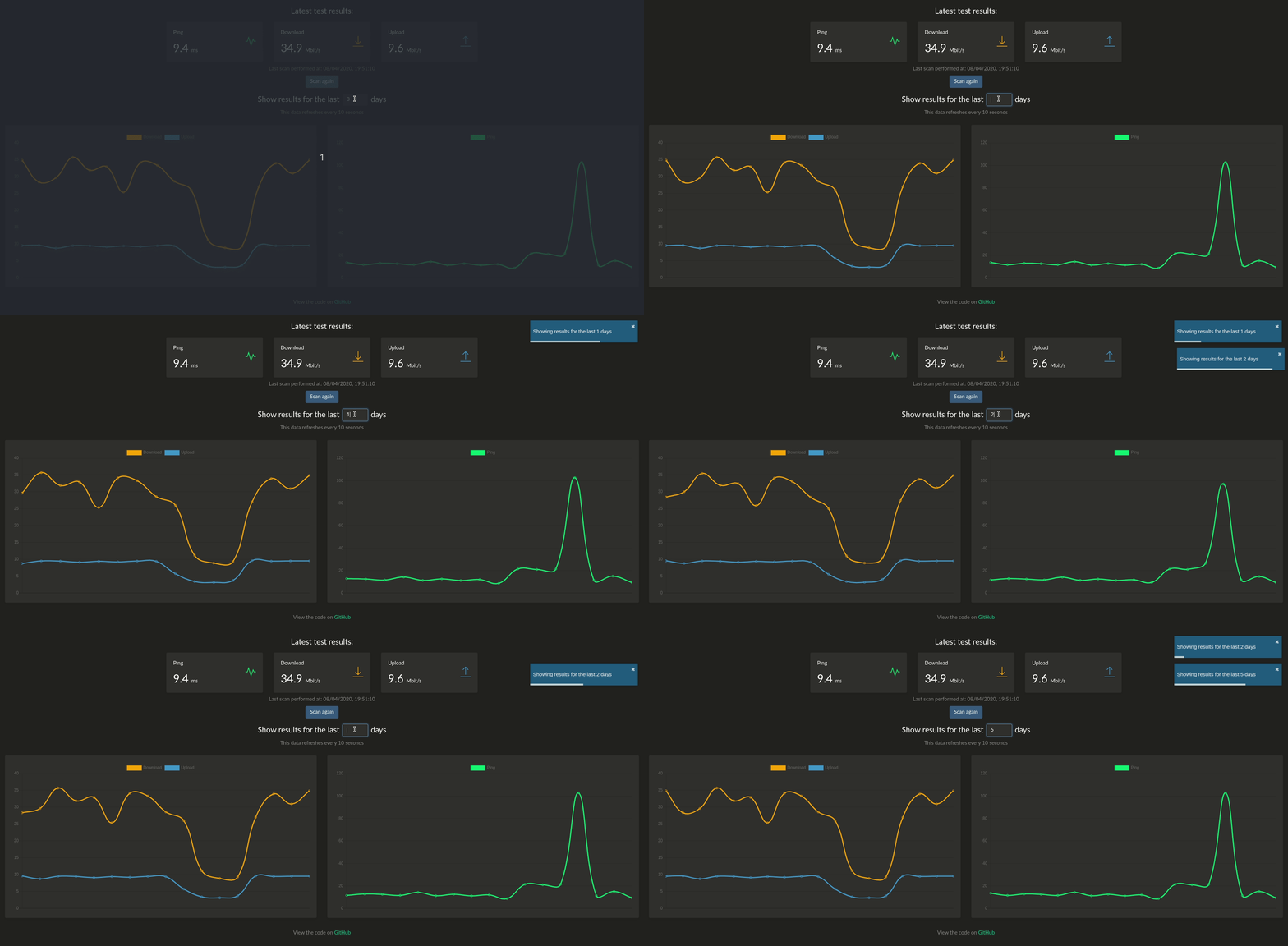
This program runs a speedtest check every hour and graphs the results. The back-end is written in Laravel and the front-end uses React. It uses the Ookla's speedtest cli package to get the data and uses Chart.js to plot the results.
Disclaimer: You will need to accept Ookla's EULA and privacy agreements in order to use this container.
Features
- Automatically run a speedtest every hour
- Graph of previous speedtests going back x days
- Backup/restore data in JSON/CSV format
- Slack/Discord/Telegram notifications
- Organizr integration
Installation & Setup
Using Docker
A docker image is available here, you can create a new conatiner by running:
docker create \
      --name=speedtest \
      -p 8765:80 \
      -v /path/to/data:/config \
      -e SLACK_WEBHOOK=webhook `#optional` \
      -e PUID=uid `#optional` \
      -e PGID=gid `#optional` \
      -e OOKLA_EULA_GDPR=true \
      --restart unless-stopped \
      henrywhitaker3/speedtest-tracker
Using Docker Compose
    speedtest:
        container_name: speedtest
        image: henrywhitaker3/speedtest-tracker:dev
        ports:
            - 8765:80
        volumes:
            - /path/to/data:/config
        environment:
            - TZ=
            - PGID=
            - PUID=
            - SLACK_WEBHOOK=
            - BASE_PATH=/speedtest
            - OOKLA_EULA_GDPR=true
        logging:
            driver: json-file
            options:
                max-file: 10
                max-size: 200k
        restart: unless-stopped
Parameters
Container images are configured using parameters passed at runtime (such as those above). These parameters are separated by a colon and indicate <external>:<internal> respectively. For example, -p 8080:80 would expose port 80 from inside the container to be accessible from the host's IP on port 8080 outside the container.
| Parameter | Function |
|---|---|
-p 8765:80 |
Exposes the webserver on port 8765 |
-v /config |
All the config files reside here. |
-e OOKLA_EULA_GDPR |
Set to 'true' to accept the Ookla EULA and privacy agreement. If this is not set, the container will not start |
-e SLACK_WEBHOOK |
Optional. Put a slack webhook here to get slack notifications when a speedtest is run. To use discord webhooks, just append /slack to the end of your discord webhook URL |
-e TELEGRAM_BOT_TOKEN |
Optional. Telegram bot API token. |
-e TELEGRAM_CHAT_ID |
Optional. Telegram chat ID. |
-e PUID |
Optional. Supply a local user ID for volume permissions |
-e PGID |
Optional. Supply a local group ID for volume permissions |
Manual Install
Installing Dependencies
This program has some dependencies, to install them you need to run the following:
sudo apt update
sudo apt update
sudo apt install php-common php7.2 php7.2-cli php7.2-common php7.2-json php7.2-opcache php7.2-readline php-xml php-sqlite3 php-zip php-mbstring composer python3 python3-pip git
sudo apt install curl
curl -sL https://deb.nodesource.com/setup_10.x | sudo -E bash -
sudo apt install nodejs
sudo pip3 install speedtest-cli
Then, download the code by running:
git clone https://github.com/henrywhitaker3/Speedtest-Tracker.git
Install the composer and npm dependencies:
composer install
npm install && npm run production
Setting up the database
Run the following to set your database variables:
cp .env.example .env
Then update the DB_DATABASE value with the absolute path of your install, followed by /database/speed.db.
Finally, run the following to setup the tables in the database:
php artisan key:generate
php artisan migrate
Now run the following to make sure everything has been setup properly (it should output a speedtest result):
php artisan speedtest:run
Scheduling Setup
To get speed test results every hour, you need to add a cronjob, run sudo crontab -e and add an entry with the following (with the path you your install):
* * * * * cd /path-to-your-project && php artisan schedule:run >> /dev/null 2>&1
Queue Setup
sudo apt install supervisor
sudo vim /etc/supervisor/conf.d/laravel-worker.conf
Add the following, updating the command and user values:
[program:laravel-worker]
process_name=%(program_name)s_%(process_num)02d
command=php /path/to/project/artisan queue:work
autostart=true
autorestart=true
user=<user>
numprocs=8
redirect_stderr=true
Then run:
sudo supervisorctl reread
sudo supervisorctl update
sudo supervisorctl restart all